HappyJapan · Embroidery machines
A WiFi USB stick for your HappyJapan embroidery machine.
Reads designs from the stick and its folders into its memory, one or a whole folder at a time. WiFiDrive stays in its USB port, looks to the HappyJapan like any stick, and gets your designs there over your own WiFi.
- Works as it ships: the HappyJapan reads it as is.
- Load a design from it as from any stick.
- If your HappyJapan won’t read it, a full refund within 30 days.
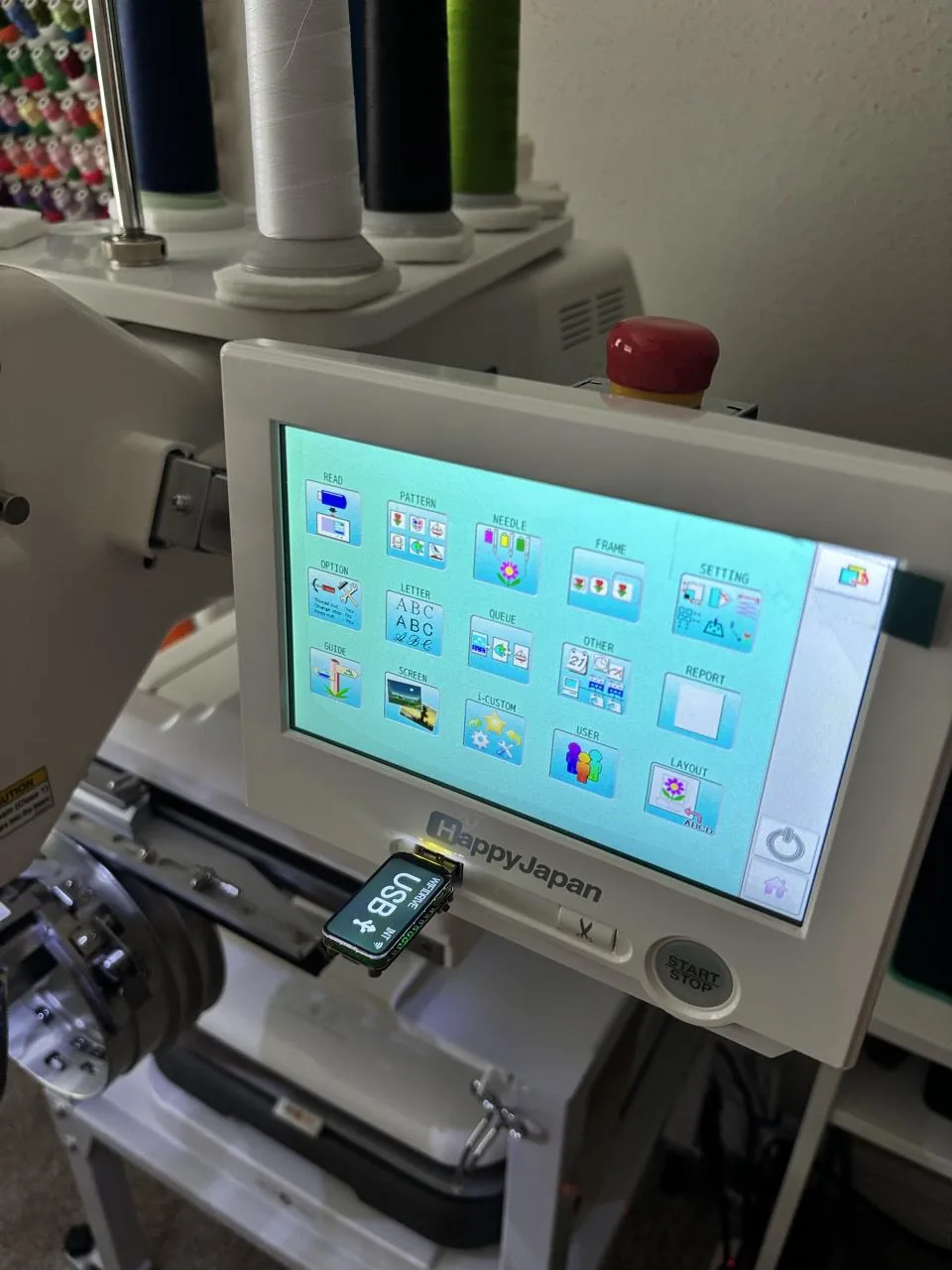 HappyJapan HCH-701P
Models
Every HappyJapan embroidery machine.
WiFiDrive goes in its USB port on every one.
Single Head Machines
- HCH-701 Journey
- HCH-701P, in our photos
- HCS3-1201 Voyager
- HCD3e-1501
- HCD3e-X1501
- HCD3-1501
- HCU2-1501
- HCU2-X1501
Multi Head Machines
- HCT-1504
- HCR3-1502
- HCR3-1504
- HCR3-X1504
- HCR3-1506
- HCR3-X1506
- HCR3-1508
- HCR3-X1508
- HCR3-1512
The stick
What a HappyJapan asks of it.
- Loads a designREAD, then USB, lists the stick's designs; one, or all of a folder's at once, are read into a memory of 3000 designs
- Files.TAP, HappyJapan's own, on the read screen; its read settings include a DST name display and the data format, set to Auto
- FoldersBrowses and searches the stick's folders by name; up to 2048 files in one folder since firmware 2.23, 512 before
- PortsThree USB ports on the newer C-type 7-inch touchscreen, the third on its front below the screen; the older B type has no front port
- Stick formatNo source read gives one; the HCH-701P we tested reads WiFiDrive's FAT16 as it ships
- FirmwareUpdates from a .IMG file on a stick: OTHER, VERSION, UPDATE
- WiFiDrive’s layoutThe one it ships with
- Sourceshappyemb.com, happyjapan.com, happyemb.com (2), happyjapan.com (2), happyjapan.com (3)
Will it work with your HappyJapan?
If your HappyJapan reads a USB stick, it reads WiFiDrive. If yours doesn’t, send it back within 30 days for a full refund.