Kao Ming · CNC mills and lathes
A WiFi USB stick for your Kao Ming.
Ships a FANUC 0i control; FANUC's Load & Go loads programs from a USB stick. WiFiDrive stays in its USB port, looks to the Kao Ming like any stick, and gets your programs there over your own WiFi.
- Works as it ships: the Kao Ming reads it as is.
- Run a program straight from it, as from any stick.
- If your Kao Ming won’t read it, a full refund within 30 days.
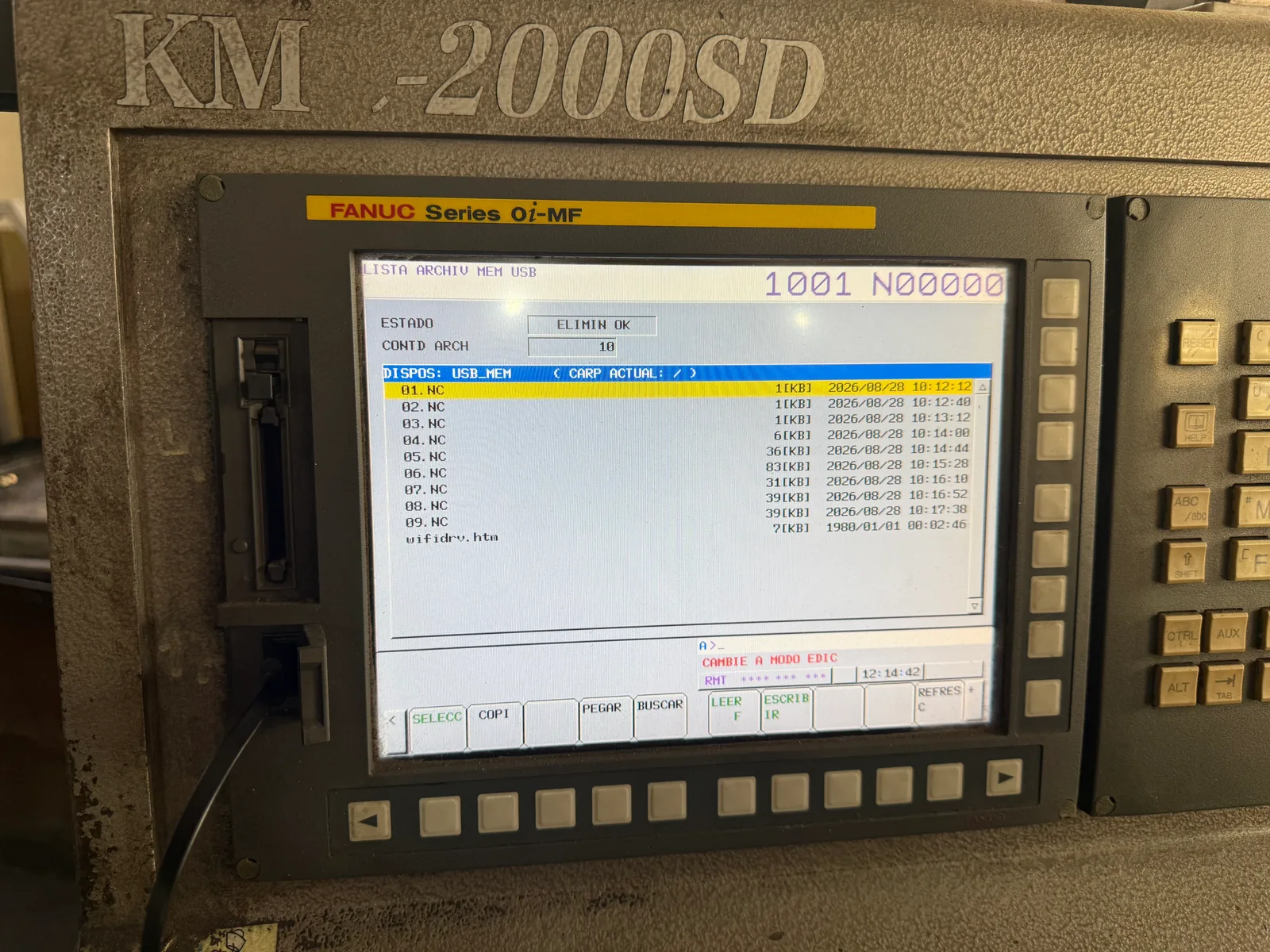 Kao Ming KMC-2000SD
Models
Every Kao Ming mill and lathe.
WiFiDrive goes in its USB port on every one.
Double-Column Machining Center
- KMC-2000SD, in our photos
- KMC-3000SD
- KMC-4000SD
- KMC-5000SD
- KMC-6000SD
- KMC-8000SD
- KMC-2000SV
- KMC-3000SV
- KMC-4000SV
- KMC-5000SV
- KMC-6000SV
- KMC-8000SV
- KMC-218HIS
- KMC-221HIS
- KMC-223HIS
- KMC-318HIS
- KMC-321HIS
- KMC-323HIS
- KMC-418HIS
- KMC-421HIS
- KMC-423HIS
Multi-Face Type Double-Column Machining Center
- KMC-3000SV-H
- KMC-4000SV-H
- KMC-5000SV-H
- KMC-6000SV-H
- KMC-8000SV-H
- KMC-328M
- KMC-332M
- KMC-336M
- KMC-428M
- KMC-432M
- KMC-436M
- KMC-528M
- KMC-532M
- KMC-536M
- KMC-628M
- KMC-632M
- KMC-636M
- KMC-828M
- KMC-832M
- KMC-836M
Vertical Machining Center
- KMC-1100V
- KMC-1500V
- KMC-1100VL
The stick
What a Kao Ming asks of it.
- ControlFANUC 0i (31i) series as standard; HEIDENHAIN, SIEMENS or MITSUBISHI as options
- Loads a programFANUC's Load & Go option loads programs from a standard USB flash drive
- WiFiDrive’s layoutThe one it ships with
- Sourceskaoming.com, kaoming.com (2), fanuc.eu
Will it work with your Kao Ming?
If your Kao Ming reads a USB stick, it reads WiFiDrive. If yours doesn’t, send it back within 30 days for a full refund.